Img & Sprite
This section actually only covers the Sprite.. for now. Too lazy to write about img stuff... :P
Images using background-image and positioning class! This way we also reduce requests and on top of it, we can roleplay making a game, amazing!
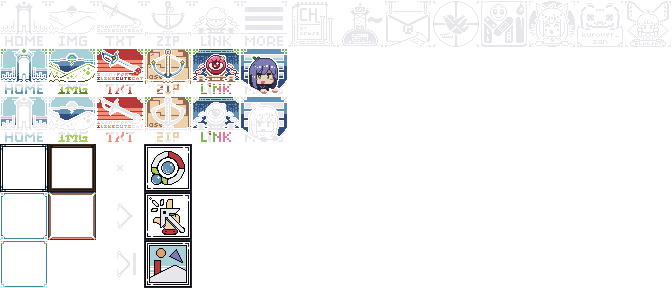
The individual size of these icons are 48px. To determine the "sprite position" we use "background-position: X Y;", where 0 | 0 is the first image in a container of 48px size.
To point to the next image, add 48px to the coordinate value. The value is reversed than you would expect. So if you want to point to the 3rd column | 2nd row, the value would be -96px | -48px.
Sprite
Example container with "background:" sprite
This is a 64px container with the 48px sprites. As you can see, it's overflow-ed. If you want to put the sprite in a larger container, you must separate it into a container with 48 px height and width.
The main 48px sprite in exact container size. The 2nd and 3rd actually has the same inline style value edit in html but because the positioning class use calc and that calc contains variable, it couldn't apply the variable into the calculation for the 2nd one (since it doesn't have all related variable set). It's a bit hard to explain so you'll have to check the css file yourself.
Smaller, 24px sprite. A new addition to the mix. Will probably use it for button icon and such.